Real-time collaboration for your team
Empowers distributed teams to work together in real time, regardless of location.
Platforms
What is BIMcloud?
BIMcloud supports cross-disciplinary design and construction teams with:
Multi-Factor Authentication
Keep your BIM project data safe at all times! BIMcloud SaaS delivers multi-factor authentication and a secure password mandate option to mitigate potential vulnerabilities and strengthen the overall protection of sensitive project data, intellectual property, and business operations.
Work Hybrid
The global pandemic compelled architectural design practices to change the way they work almost overnight — and working from anywhere created an instant need for online collaboration and remote access to office infrastructure.
We’re using the Archicad Teamwork function. It’s terrific to have everyone on the same platform and in the same environment. Sofie Sunesson Client BIM Manager Title Reflex Architects, Sweden Company

The Next Normal: Hybrid work
BIMcloud SaaS closes the gap between the home, office, construction site, and project stakeholders — regardless of location or software used.
No up-front investment
Getting started with BIMcloud SaaS is fast, easy, and affordable. Start sharing your projects in the cloud right away — without any additional investments in hardware.
No IT experience necessary
No IT experience on staff? No problem! BIMcloud SaaS is so easy to use, no IT experience is necessary for quick and secure file sharing in the cloud.
BIMcloud is flexible
Scale up or down as your workload demands and pay as you go. We’ll ensure that your BIMcloud SaaS subscription matches your practice’s specific needs.
Get started today
Get started with BIMcloud Software as a Service today and take advantage of fast, efficient, and secure access to shared projects in real-time, regardless of the size of the project, the location of the offices, or the speed of the internet connection.
All this and more…
Subscribers with a BIMcloud SaaS subscription also get access to additional BIMcloud and BIMx Pro features when working in teams on BIMcloud projects.
Collaborate
Work in teams just as quickly and efficiently on the road as you would at the office, regardless of the size and location of your team or the complexity of the project.
Twin City Tower Building Bratislava, Slovakia Location Firm website © Siebert + Talaš Photo Using BIMcloud and Teamwork has always been fantastic. Roman Talaš Client Co-Founder Title Siebert + TalašSlovakia, Slovakia Company

Great design starts with communication
BIMcloud is your go-to project communication platform — discuss design intent and questions with team members using real-time messaging displayed in the project context, making it easier to understand the information. All communication is handled right inside the project for fast, informed decision-making.
BIMx PRO functions and integrated team messaging
Bridge the gap between the design studio, the client’s office, and the construction site with award-winning BIMx. Use your mobile device to send messages in the model context directly to Archicad and resolve design or construction issues without having to return to the office. Joining BIMcloud from BIMx enables PRO features — explore Teamwork projects regardless of 3D model size, print, and save Favorite views for custom presentations.
Advanced Teamworking
As projects get bigger, so do the teams working on them. Thanks to the Reservation Assistant and Intelligent Project Libraries, all team members will benefit from advanced permission control when working on their own assigned project areas without interfering with others.
Works fast for teams around the corner or around the globe
Pick up the pace on large project files thanks to multi-site optimization with BIMcloud Delta Cache technology.
Share all project files
Sharing files is easy too — Our multi-disciplinary model hub keeps everyone coordinated by publishing and uploading models, drawings, and any other project files directly to BIMcloud.
Join Teamwork from your application
The BIMcloud API makes it easy to access hosted files and project information — manage, upload, and download files directly from other software applications.
Security
BIMcloud keeps your data safe with multi-level backups and a preemptive monitoring and warning system. And security is guaranteed even when collaborating over the internet.
We set up our BIM platform to help us manage and support our internal and external collaboration tasks Henry Man Client Project Architect Title LWK + Partners, Hong Kong Company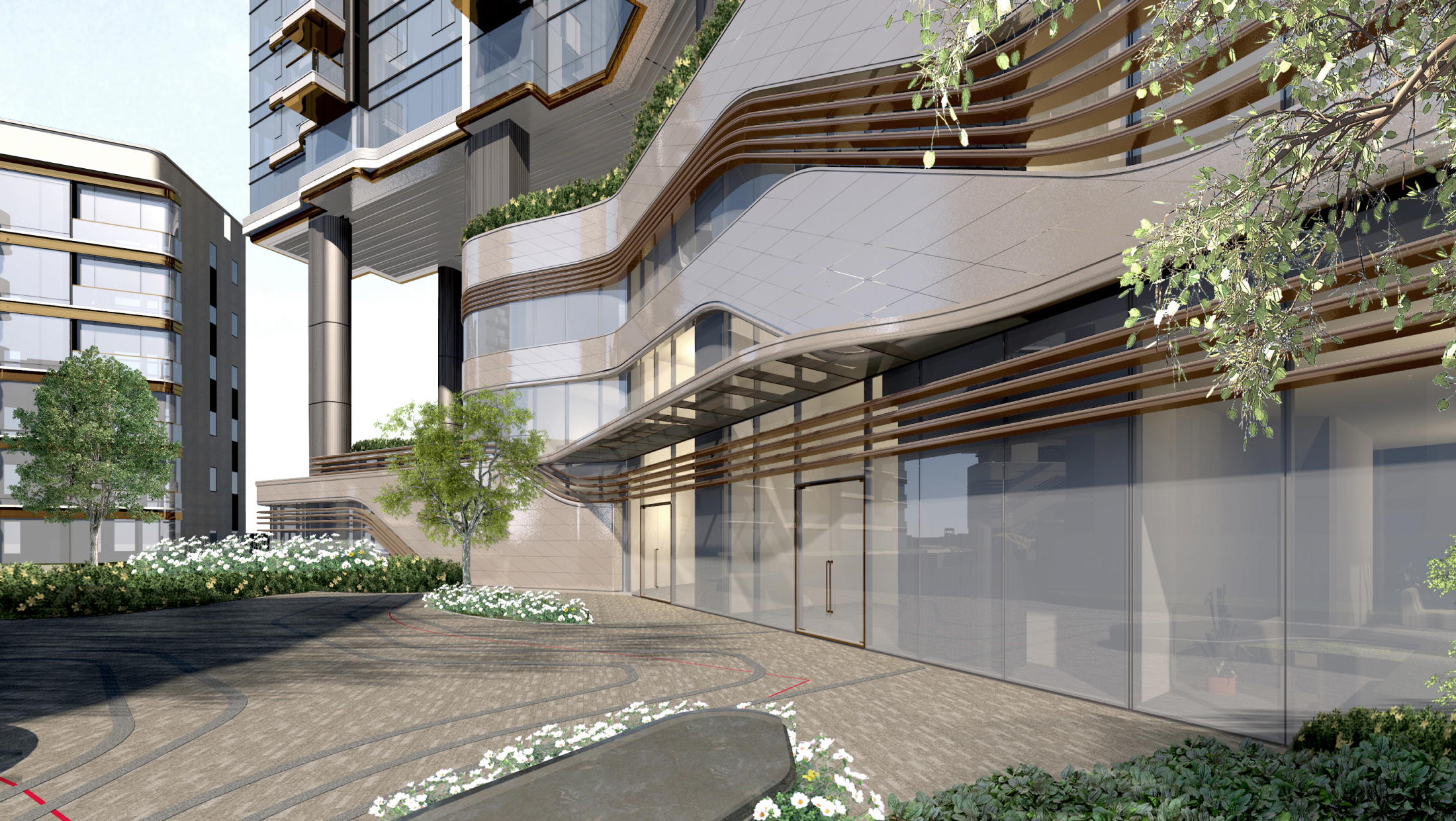

Works fast with any internet connection speed
The secret is in our patented Delta Server technology! Only the changes are synced, so BIMcloud works fast even when all you’ve got is a low-bandwidth internet connection.
Automated change-tracking
Stay in the loop by subscribing to real-time project change notifications that are easy to find and manage.
Advanced team and project management
Good news for BIM Managers — Manage a large team of architects and engineers by controlling their project access from a central location in BIMcloud.
Advanced Permission System
Set up team roles and responsibilities quickly and easily by creating groups with specific access permissions.
Link directly from BIMcloud
Access hotlink models, access SAF and BCF files, and external drawings in Archicad directly from BIMcloud.
File Hosting
Host files of any type, like SAF and BCF — and anything else that’s important to the project — site photos, manufacturer catalogs, building permits, and more!
Feature comparison
BIMcloud Basic
BIMcloud
BIMcloud Software as a Service
Basic teamworking
Collaborate on design projects through Archicad
+
+
+
Delta technology
Send only changes through the network
+
+
+
Communicate within the project
Discuss specific issues within the project
+
+
+
Basic permission system
Individual permission settings for each project
+
+
+
Work through WAN
Work in teams using wide area network
–
+
+
Support more Archicad versions
Use different versions of Archicad for different projects on the same BIMcloud.
–
+
+
Advanced teamworking
Reservation assistant, intelligent project libraries
–
+
+
BIMx PRO license and communication
BIMx PRO features with integrated messaging for all projects
–
+
+
BIMx Web Viewer
Open Hyper-models in BIMx Web Viewer integrated to BIMcloud’s browser interface.
–
+
+
Advanced permission system
Hierarchical permission definition with inherited settings
–
+
+
User directory integration
Connect your office user directory for easier access management
–
+
–
Multi-site optimisation with BIMcloud Delta Cache
Speed up remote team’s work by saving on network bandwidth
–
+
+
Change tracking
Stay in the loop by subscribing to changes of interest and get notified real-time in Archicad
–
+
+
Advanced team and project management
Multi-level folder structure and advanced group or team level permissions for better project organization
–
+
+
Multi-disciplinary model hub
Keep everyone in sync by publishing and uploading models, drawings and any other files directly to BIMcloud
–
+
+
Link directly from BIMcloud
Hotlink models, access SAF and BCF files and external drawings in Archicad directly from BIMcloud
–
+
+
BIMcloud API
Connect your application to BIMcloud for easy access to hosted data: manage, upload, download directly from other tools
–
+
+
File Hosting
Host files of any type
–
+
+
Automatic Scaling
Increased hardware and storage when it’s needed
–
–
+
No up-front investment
Hop on, hop off as your projects require it
–
–
+
Zero IT
The system is managed by Graphisoft – no need to invest in additional IT solutions
–
–
+
A process that recognizes and unites all stakeholders’ interests will result in outstanding projects. Aleksandr Popov Client CEO and Co-Founder Title Archimatika, Ukraine Company

Next steps
What’s new in Archicad
Your best design option – A brand new design option solution, professional visualization tools, improved project management workflows, open, multidisciplinary design collaboration and exclusive subscription offerings make Archicad your best design option.
Visit the Graphisoft Community
Learn more about BIMcloud at Graphisoft Community – or get expert help through a state-of-the-art, user-friendly experience that combines Archicad Talk and Help Center into one, easy-to-search resource.
Subscribe to Graphisoft Forward
Graphisoft Forward — our global Service and Benefits program — maximizes value and productivity while lowering the overall cost of software through exclusive tools, learning, support, and services. Product updates are included. Subscribe today!
Technical specifications
Getting started with BIMcloud Software as a Service is easy! No more worrying about technical details — we’ll take care of everything!
For the best ‘on-premises’ deployment of BIMcloud, please see the recommended configurations and minimum hardware requirements below: