Streamlining renovation and refurbishment projects
Download BIMmTool
Laser scanning has become standard technology for the unique challenges of projects based on existing structures. With BIMmTool’s latest features, you can handle complex point clouds more efficiently than ever.
BIMmTool is a well established, fully integrated add-on for Archicad, designed to support point cloud workflows. As of Archicad 28, BIMmTool Lite is included in your SSA, Forward or Subscription contract, providing essential functions for importing, organizing, and displaying point clouds*.
Import
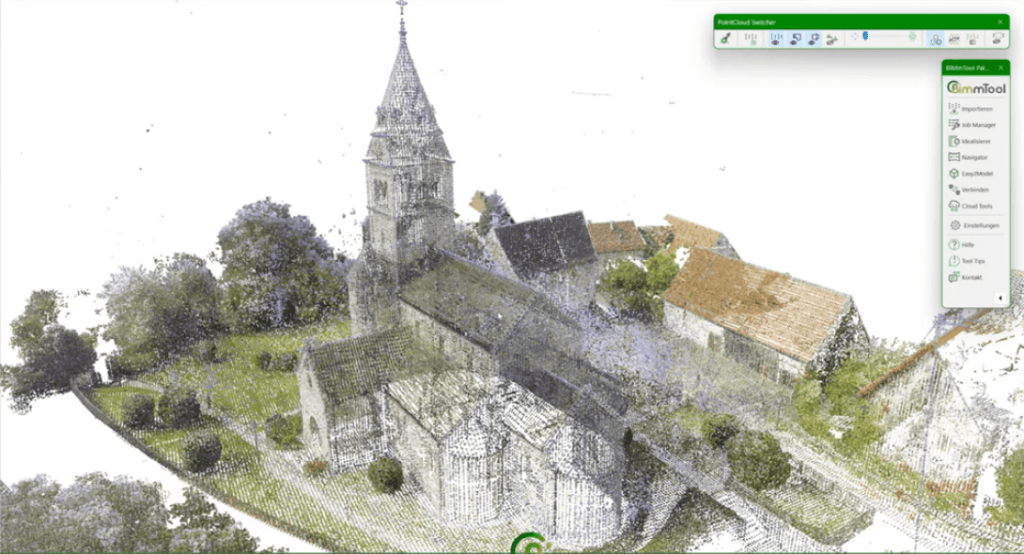
BIMmTool supports the direct import of common point cloud formats, including Leica, Faro, Riegel and others – no need to convert to e57. Thanks to multiprocessing and sampling, BIMmTool supports large scan projects easily, while the Pointcloud Switcher allows precise control over point cloud display in Archicad views.
Analysis
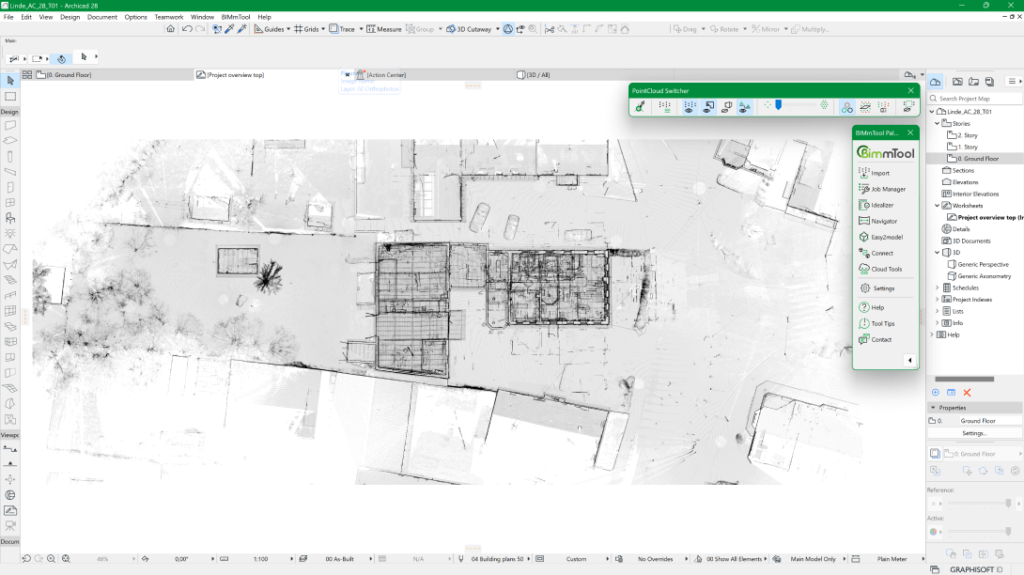
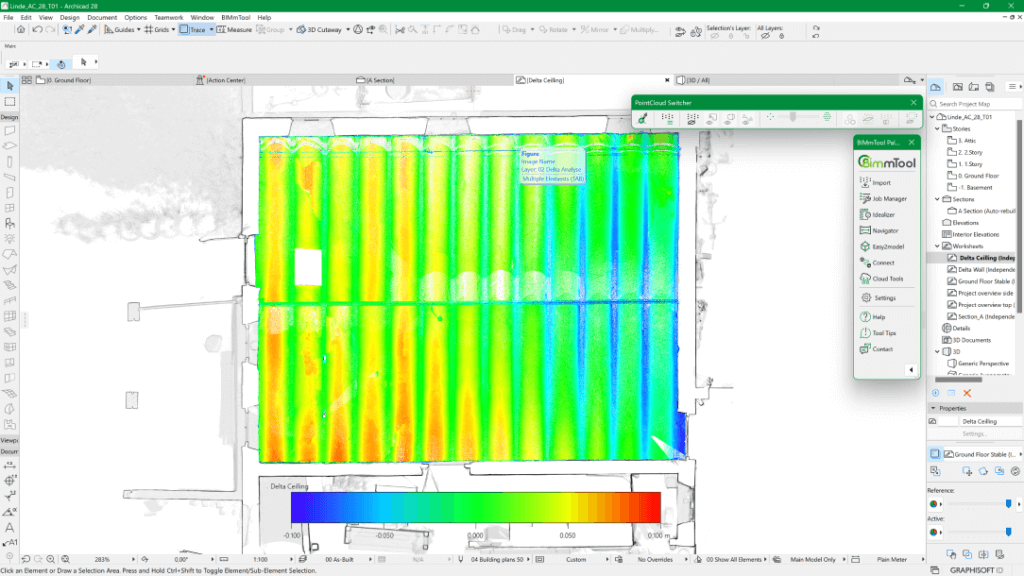
BIMmTool’s project overview, based on orthophotos, provides insights into building orientation, terrain elevations, and the number of stories. Get early insights into the building’s condition, based on delta analyses which can detect structural deformations that might otherwise be missed.
Modeling
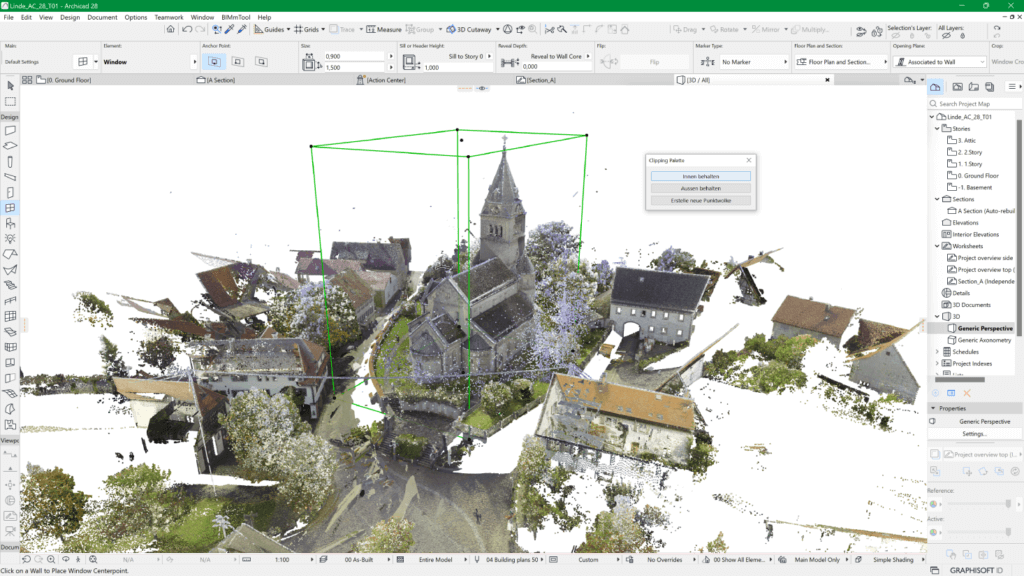
BIMmTool optimizes the conversion of point clouds into models, using orthophotos and low-resolution point clouds for 3D modeling without performance loss. Tools like the Easy2model palette and BIMmNavigator facilitate precise placement of building components, while the Clipping Box helps manage point cloud data efficiently.
Terrain Creation
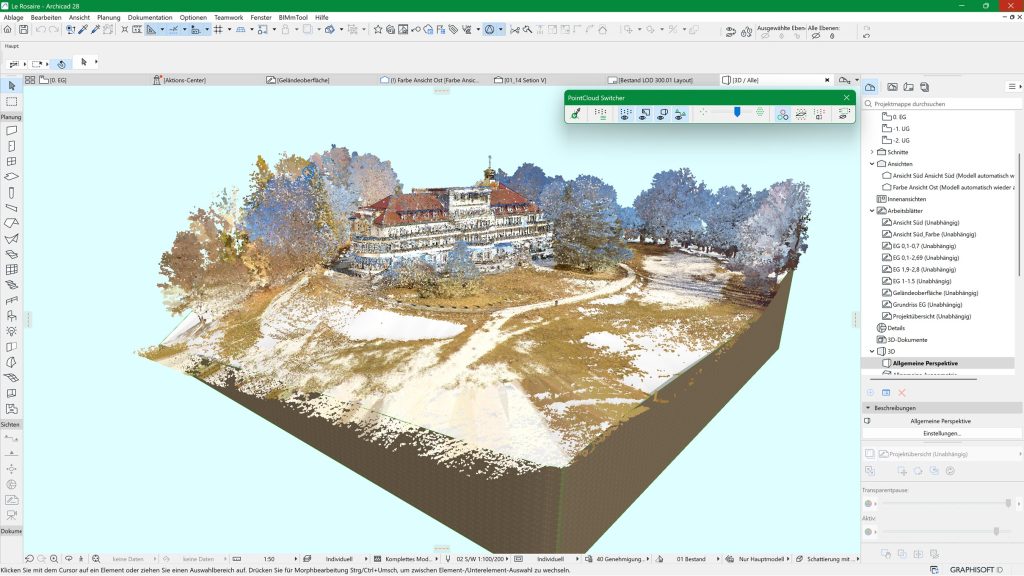
BIMmTool’s enhanced Mesh Tool now generates clean terrain models from raw point clouds in seconds. Dense vegetation, reflections, and moving objects are automatically filtered out with the new Ground Filter. Fully integrated in Archicad, the tool isolates the scan area with a Clipping Box, applies height limits in the Job Manager, and defines mesh resolution for precise results, meanwhile orthophoto mapping applies real surface textures (roads, paths, and green areas) directly to the model, eliminating manual adjustments. The results is an accurate, realistic terrain model ready for immediate use in design and presentation workflows.
Quality Control
Achieve accurate quality control in renovation projects. BIMmTool’s point cloud-to-model comparison detects and displays deviations with color-coded gradients – helping you spot errors early and even reduce construction costs.
Publishing
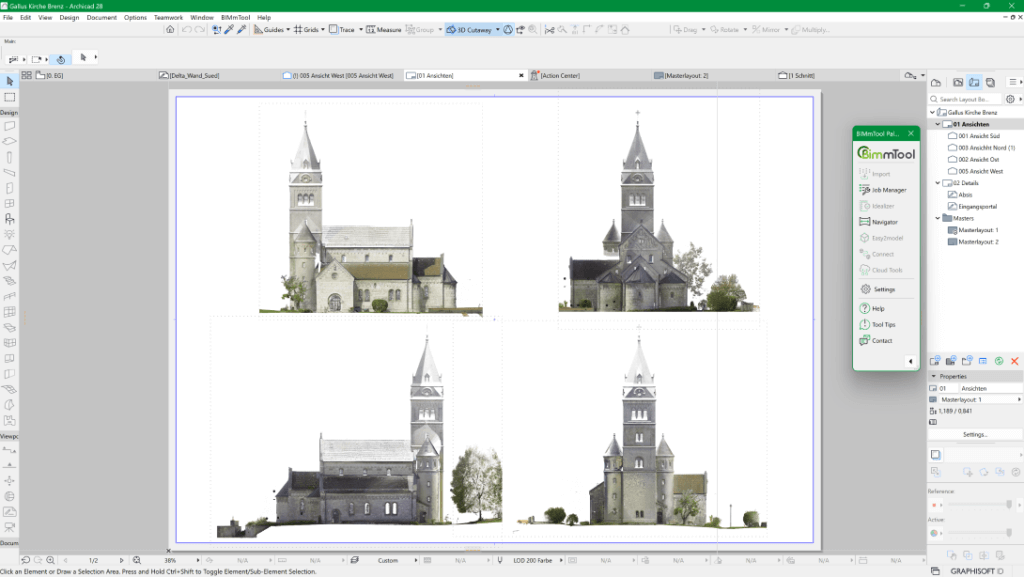
Share your point cloud analysis efficiently: BIMmTool generates precise horizontal and vertical orthophotos from point clouds, and integrates them with floor plans, sections and elevations. Export these in various formats through Archicad’s Publisher function – so you can easily publish your quality control results and model comparisons for all stakeholders.
Feature comparison
| BIMmTool Lite | BIMmTool Pro | |
|---|---|---|
| BIMmNavigator | + | + |
| All supported import formats | + | + |
| Pointcloud Switcher | + | + |
| High performace point cloud multiprocessing and sampling | + | + |
| Changing resolution up to 25 mm | + | + |
| Distance dependent resolution in 3D | + | + |
| IVION integration to view panoramas | + | + |
| Ability to import large unstructured point clouds, including preview and story splitting function | + | + |
| Easy2model | – | + |
| Clipping box | – | + |
| Orthophoto | – | + |
| Delta analysis | – | + |
| Changing resolution higher than 25 mm up to 2 mm | – | + |
| Point cloud to model comparison | – | + |
Extra features
Interested in Scan 2 BIM and other BIMmTool Pro features? Check pricing and buy your license from BIMm Solutions GmbH.
Purchase BIMmTool Pro